One language leaves visitors out
Matterport has no built-in translation. A standard tour carries its labels and notes in one language, so everyone else guesses or leaves. The usual workaround is a separate tour for each language, which means repeated capture work and copies that drift apart. In Xperio3D you keep one tour. Visitors choose a language from a menu, and every tag, menu and panel changes with the choice.
50+ languages
Offer the languages your visitors use. In Thailand that often means Thai, English, Chinese, Russian, German, Korean, Japanese and Arabic.
AI translation first
AI produces the first translation of all tour text in one pass, so a full language is ready quickly.
Manual editing
Every translated line can be corrected by hand, so names, brand terms and tone match what you want to say.
Language switcher
Visitors change language from a menu inside the tour, at any point, without reloading or losing their position.
Everything is translated
Tags, menus and information panels all follow the chosen language, not only the page around the tour.
Right-to-left support
Arabic and Hebrew display right to left, with layout that mirrors correctly instead of squeezing into a left-to-right design.
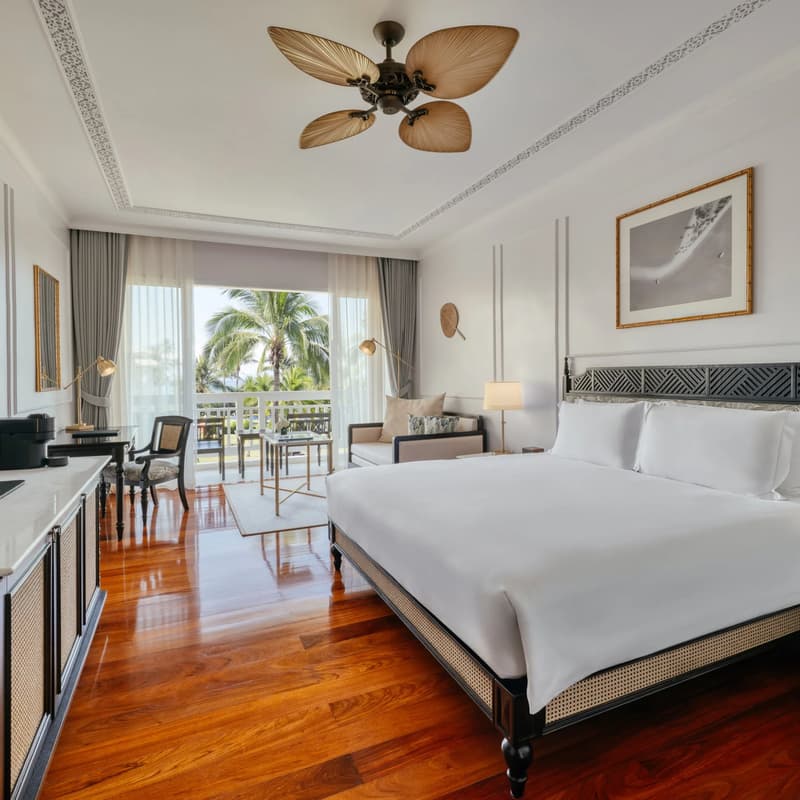
Switch languages in the Sofitel Krabi tour
Open the live tour, pick a language from the menu and watch the tags and panels change while you stay in the same spot.
What 360INT takes care of
Xperio3D is developed by 360INT. We capture the space, set the feature up, prepare the content and keep it current, so your team receives a finished experience instead of another tool to learn.
One scan
We scan the property once with Matterport Pro3. That one capture serves every language, so adding a language later costs no new site visit.
Content
We write or collect the source text, structure it in the tour and decide which languages to add.
Translation
We run the AI translation, then edit it by hand, and have key terms checked by native speakers on your team where you need that.
Check each language
We test each language, including right-to-left layout, and update every version when the source text changes.
- —AI translation is a starting point, so we recommend a human check for legal, medical or brand-critical text.
- —The source text must be complete, because translating a thin tour gives thin results in every language.
- —Spoken replies in other languages depend on a voice configuration, covered on the AI tour guide page.
From scope to a live multilingual tours
- 1Language plan
We choose languages from your visitor mix and decide who reviews each one.
- 2Source content
We finalize the source text and the tags it belongs to.
- 3Translate and review
AI translates, and we and your reviewers edit the result.
- 4Publish and update
The switcher goes live, and we keep all languages aligned over time.
Industries that use this feature
Multilingual Tours: Common Questions
Add multilingual tours to your tour
Tell us about your space and the systems you use. We confirm what fits, how it connects and what it costs before anything is booked.
Begin a Project