A tour that ends in a different tab
A standard Matterport tour or 360 photo tour shows the space and stops. The visitor must remember the room name, leave the tour, find your booking page and start over. Many never come back. The tour also has no way to tell your team which room the visitor was looking at when they decided to ask. Booking in the tour closes that gap: the action is tied to the space on screen and goes straight to your own system.
Four action types
Stays, tickets, appointments and table reservations. Each tour uses the actions that fit the business, and each action can carry its own wording and button.
Tied to the area in view
The booking action knows which room or area the visitor is viewing, so a request for the lake-view suite arrives as exactly that.
Your calendar or engine
The tour connects to the calendar or booking engine you already use. Availability, occupancy and pricing sync only where the connected system supports it.
Payment and confirmation stay yours
Payment and final confirmation follow the connected system, so your existing rules, rates and policies stay in force.
Analytics and CRM
Booking interactions can be recorded in analytics and forwarded to a CRM, so sales sees which spaces prompt enquiries.
Fallback without a system
If no booking system is connected, the request goes to the property, and your team confirms by contact.
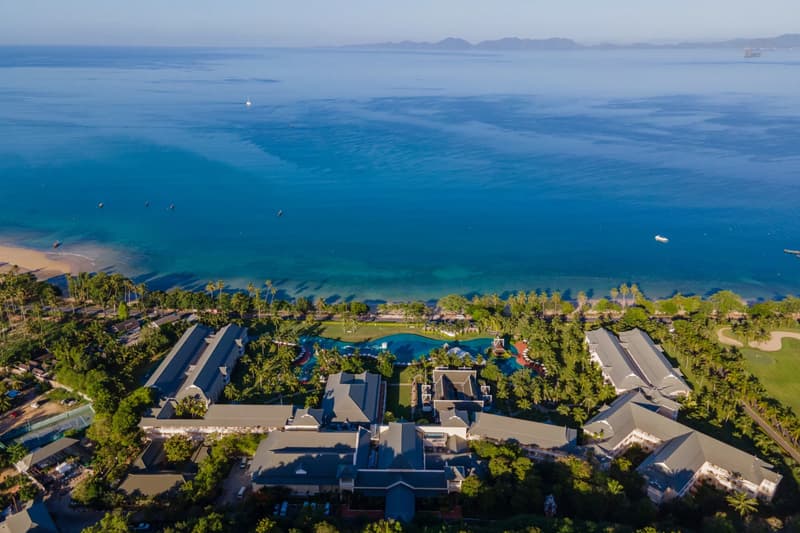
Try it in the Sofitel Krabi demo
The demo environment runs on demo data. Open a room, start a booking action and see how the request follows the space you are viewing.
What 360INT takes care of
Xperio3D is developed by 360INT. We capture the space, set the feature up, prepare the content and keep it current, so your team receives a finished experience instead of another tool to learn.
Scan the spaces
We scan the rooms, restaurants and amenities with Matterport Pro3 so each bookable space exists as its own area.
Set-up
We place the booking actions, choose the action type for each space and write the button and form wording.
Link your systems
We connect your calendar or booking engine, and for hotels we can add HospitalityOS where a deeper link is wanted.
Test and maintain
We test every action end to end, then update spaces, rates wording and links as your offer changes.
- —The client needs a booking calendar, engine or contact process that can receive the request.
- —Live availability and pricing appear only if the connected system exposes them.
- —Payment and final confirmation happen in the connected system, not in the tour.
- —Each bookable room or area must be defined as a space in the tour.
From scope to a live booking in the tour
- 1Brief
We agree which spaces are bookable, which action types apply and which system receives the requests.
- 2Capture and build
We scan on site, define the spaces and place the booking actions.
- 3Link and test
We link your system, run test bookings and fix what the test shows.
- 4Launch and maintain
The tour goes live on your site, and we keep spaces, wording and connections current.
Industries that use this feature
Booking in the Tour: Common Questions
Add booking in the tour to your tour
Tell us about your space and the systems you use. We confirm what fits, how it connects and what it costs before anything is booked.
Begin a Project