A default tour carries someone else's identity
A standard Matterport tour opens in a generic viewer. The menus, colors and web address belong to the platform, not to you. Each new property starts from zero, so a group with twenty tours ends up with twenty slightly different results. Visitors cannot tell the tour is yours, and your team repeats the same styling work every time. Branding it properly turns the tour into a piece of your own communication, set up once and reused.
Logo on start and in tour
Your logo appears on the start screen and stays visible while the visitor walks through, so the tour is recognized as yours at every step.
Brand colors and fonts
Menus, tags and interface elements take your colors and typefaces, so the tour matches your website, brochure and signage.
Designed start screen
A background image and a call to action greet the visitor before the tour loads, and you choose where the first click leads.
White-label setup
Matterport and Xperio3D branding can be hidden, so only your identity is shown to the visitor.
Your own subdomain
Serve tours from an address such as tours.yourbrand.com. Your IT adds one DNS record, and 360INT handles the rest.
Reusable brand templates
Define logo, colors, menus, product catalogue and integrations once. Apply them to many properties or sub-brands, and one change updates every linked tour.
See a branded tour
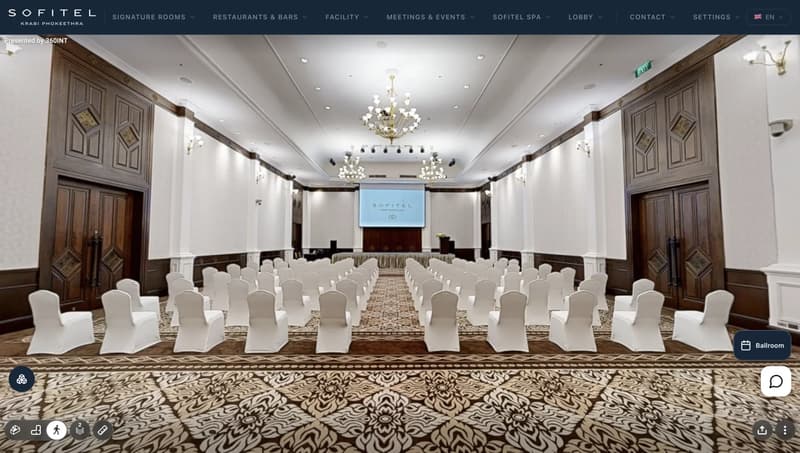
HiSo Living Phuket shows how a furniture brand's identity carries through the start screen, menus and tags of a tour.
What 360INT takes care of
Xperio3D is developed by 360INT. We capture the space, set the feature up, prepare the content and keep it current, so your team receives a finished experience instead of another tool to learn.
Brand audit
We collect your logo files, color codes, fonts and any style guide, and note what must be matched.
Template build
We turn your identity into a template with menus, start screen and integrations ready to reuse.
Domain connection
We give your IT team the exact DNS record and check that the subdomain works with the tour.
Rollout and upkeep
We apply the template to each new tour and update linked tours when your brand changes.
- —Your own subdomain needs one DNS change by your IT team.
- —White-label is a specific setup and is scoped in the quotation.
- —We need brand assets in usable formats before the template build starts.
- —Templates apply to tours captured by 360INT or added to the Xperio3D account.
From scope to a live branded tours
- 1Collect brand assets
You send logos, colors and fonts, and tell us which tours should share a template.
- 2Build the template
We design the start screen and interface once and test it on a pilot tour.
- 3Connect the address
Your IT adds the DNS record and we confirm the subdomain loads the tour.
- 4Roll out and maintain
We apply the template to your tours and keep them aligned as the brand changes.
Industries that use this feature
Branded Tours: Common Questions
Add branded tours to your tour
Tell us about your space and the systems you use. We confirm what fits, how it connects and what it costs before anything is booked.
Begin a Project